Docs / AMS / Build / What saving actually does
View as MarkdownWhat saving actually does
Know which changes reach people when you save, which wait until you activate or publish a version, and how to roll back.
After this page you'll know, for any change you make, whether saving puts it in front of people, and how to undo it.
What this is
Saving an agent records a numbered version. It changes nothing for the people using the agent. A version reaches them only when you activate it. Functions and widgets work the same way, except the second step is called publish. Connections have no versions: a change there applies without one.
| What you change | What saving does | When it reaches people |
|---|---|---|
| An agent's prompt, settings, model, name, script, resources, schedules or reply language | Save as version records a new numbered version | When you activate that version on Versions & Availability |
| An agent's availability: the Available switch and the surfaces it can be reached from | Save applies it. No version is recorded | Straight away |
| A function or a widget | Save changes adds a new numbered version | When you publish that version on its Versions tab |
| A connection, or an operation on it | The change is stored. There is no version history | Straight away, with no activation |
Change an agent
Say you built the invoice comparison function and want the invoice exceptions agent to use it.
- Open the agent and go to Resources. Add the function. The tab gets a dot and the top bar reads Unsaved changes. Nothing has left your browser yet. Your edits survive moving between tabs, and you can make changes on several tabs before saving once.
- Press Save as version. One save records one version, whatever you changed. The bar reads Saved as version 7. with a Make it active link. The agent is still running on the version it ran before.
- Try it on the Chat tab. Chat can talk to any saved version, including ones that aren't active. Unsaved changes aren't part of the conversation until you save them.
- Activate it. On Versions & Availability, choose Activate version 7 and confirm. From now on the agent runs on version 7.
The button reads Save instead of Save as version when the only change is to availability, because availability isn't versioned.
A new agent starts with version 1 and nothing active. Its Overview reads "None. This agent cannot run until you activate one."
When the builder makes the change
If you ask the Agent Builder to change an agent that already has an active version, it saves a new version and tells you its number. It doesn't activate it. You do that on Versions & Availability.
The Function Builder, Widget Builder and Script Builder save versions as they work, without you pressing anything. A script the Script Builder rewrites shows up on the agent as an unsaved change until you save the agent.
When activation is refused
Mindset won't activate a version that can't run. It refuses a version when something it uses is gone or switched off (a deleted function, an operation that is no longer enabled), or when its model isn't available in your org's region. Activating an older version never brings back an operation that has been switched off since.
Publish a function or a widget
Save changes adds a new numbered version. It isn't live yet.
On the Versions tab, press Publish on that version. Publishing checks it first:
| What gets checked | |
|---|---|
| Function | That the document is valid: every step is well formed and uses only operators that exist |
| Widget | That it will render: every component, attribute and data binding is valid |
A version that fails the check can't be published. You can still save one, so you can keep working on it.
Once published, the new version is the only active one. Every agent that holds the function uses it on its next call. You don't activate anything on the agents.
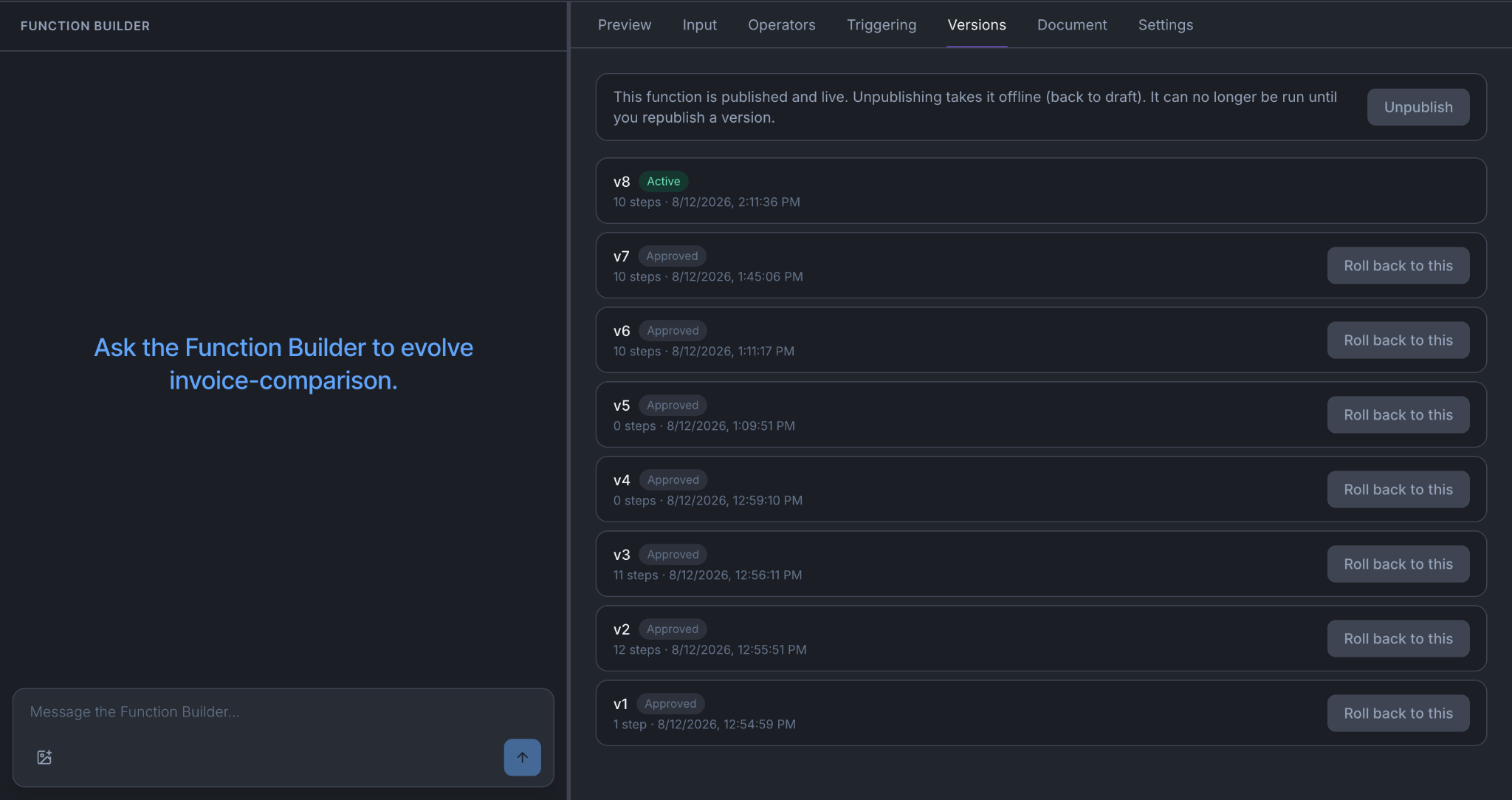
Unpublish takes the function or widget offline until you publish a version again.
Roll back
| What | How | What happens to versions |
|---|---|---|
| An agent | On Versions & Availability, activate an earlier version | You can delete a version that isn't active and isn't the last one. Runs that used it keep their record of it |
| A function | On Versions, press Roll back to this on an earlier published version | Never deleted |
| A widget | On Versions, press Re-activate on an earlier published version | Never deleted |
| A connection | Change it back by hand | There is no history |
You can only roll back to a version that was published before. A draft that was never published needs Publish.
Things to know
A conversation in progress moves to the new version on its next turn. When you activate a version, the turn that is running finishes on the old one. The person's next message uses the new one.
A script run already under way finishes on the script version it started with.
Switching off an operation needs no new version. To stop agents using an operation, switch it off or withdraw its approval on the connection. Calls to an operation are checked against whether it is still enabled, available to agents and approved, so you don't need to save or activate anything. See Connect a system.
Two people can edit the same agent. Your save builds on the version you opened in your browser tab. If someone else saves or activates a version while you work, the top bar tells you.
Saving doesn't run tests. Nothing checks an agent's behavior before you activate a version. Run behavior tests yourself to decide whether to activate.
For changing an agent people already use, see Change something that's already live.
You're done when
- For any change you're about to make, you know which row of the first table it falls in.
- You saved a change to an agent, tried it on the Chat tab, and activated it.
- You know where to go to roll back an agent and a function.