Docs / AMS / Connect / Connect an HTTP API
View as MarkdownConnect an HTTP API
Connect a system through its HTTP API, set up its operations from its documentation, and prove each read works before an agent uses it.
After this page your finance system is connected through its HTTP API, its operations are set up, and you've seen a real response from each read.
What this is
An HTTP API connection reaches anything with an HTTP API. Most connections are this type. The finance system in the invoice workflow is one.
An HTTP API has no tool list to read. Its operations are set up one per method and path, and each one has a fixed input and output.
How to connect it
- Open Connections, press + New connection, choose I will set it up, then HTTP API.
- Under How we reach it, enter the Address: the API's base URL.
- Enter the credential (see below).
- Press Check this address. Mindset asks the address what is there, without sending your credential, and shows what it found.
- Give it a Name (it defaults to the host) and an optional Description, then press Add it.
- On the connection's Operations tab, paste a Link to the API documentation if you have one and press Set up operations. The Connection Builder reads the documentation and sets up the operations with you.
You can also choose Describe it to the builder at step 1 and let the Connection Builder do all of this, asking for what it needs as it goes.
Auth options
| The API wants | What to enter |
|---|---|
| A bearer token | Token. It's sent as Authorization: Bearer <token> |
A key in a header of its own, such as X-Api-Key | Leave Token empty and use Add a header to name the header and its value. Up to three headers |
| A different value format, or a gateway's header on top of the API's own | Headers, as above |
| A key in the query string | Put it in the Address. A key entered in the credential fields can't be sent on the URL |
| A username and password (HTTP Basic) | Ask the Connection Builder. The typed form doesn't offer it |
| Nothing, because it's public | Leave the credential empty |
An HTTP API that needs OAuth can't be connected yet. That covers both a browser sign-in and machine-to-machine client credentials. Use an API key or header auth. MCP servers support OAuth sign-in, shared by everyone using the connection.
How operations are found
| What the API offers | What the builder does |
|---|---|
| A machine-readable description | It tries a fixed list of standard OpenAPI and Swagger paths, and a GraphQL query, on the API's own host, using your credential |
| A documentation page | You give it the address of one page and it reads that page. Your credential isn't sent there |
| Neither | It asks you to describe the endpoint you need |
Everything found comes back for you to confirm. Nothing switches itself on.
How operations are classified
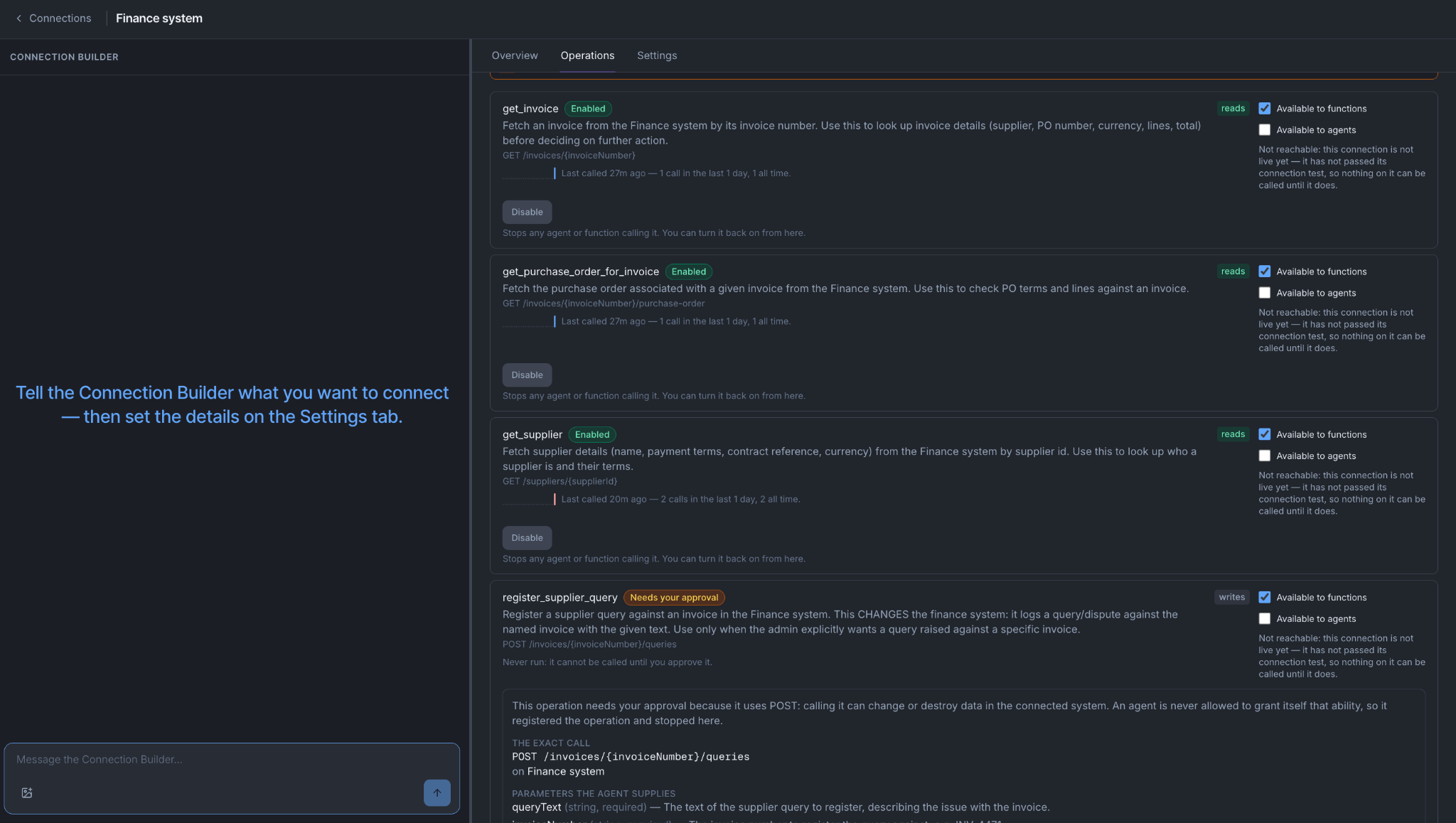
The method sets the default: a GET is a read, and every other method is a write. An operation can be registered with its access stated instead. An operation that sends a file to the other system is always a write.
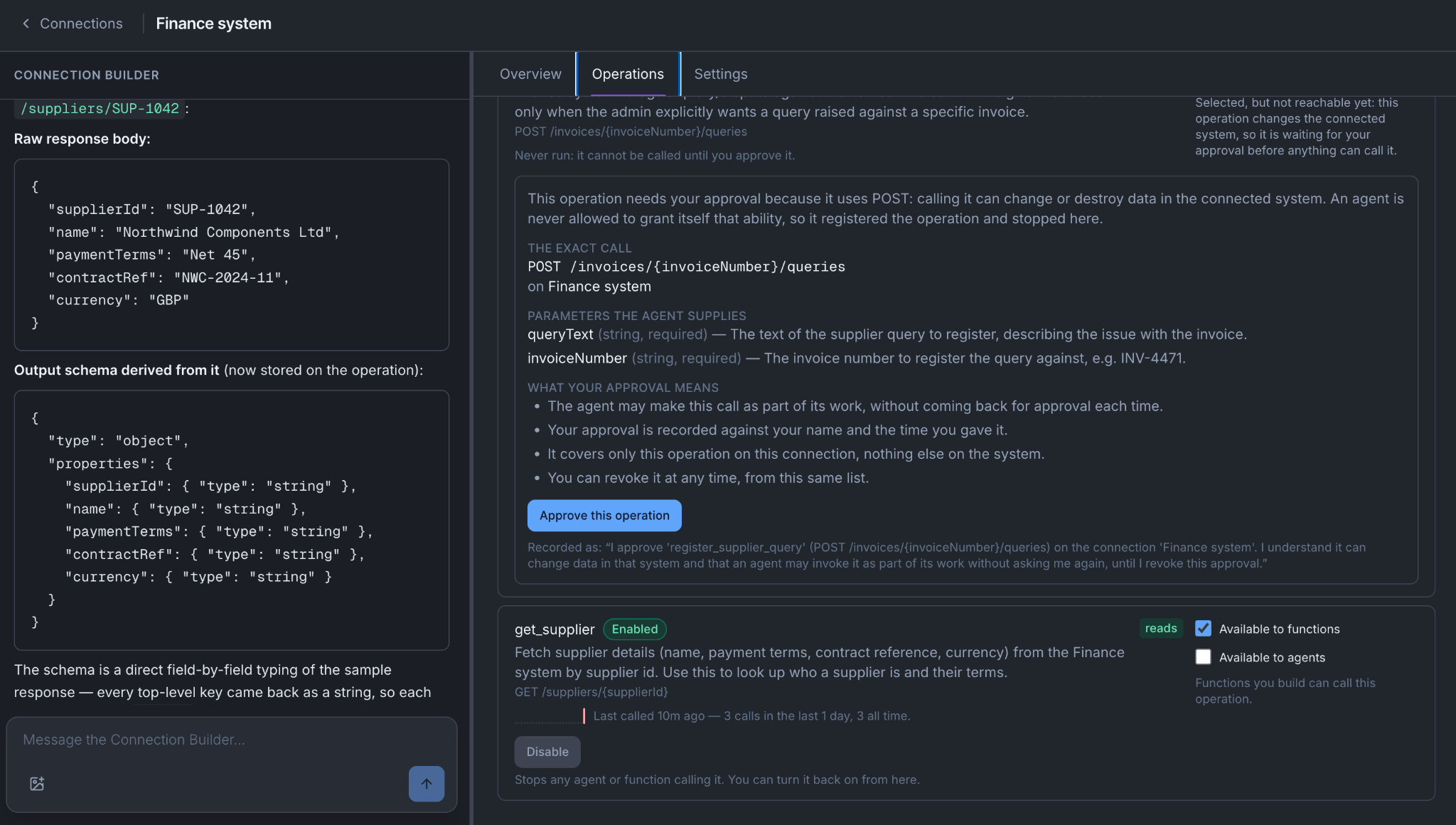
A read needs no approval. A write needs consent, given once per operation. See Approve what an agent can do.
Enabling a read proves it works
When you enable a read, Mindset makes one real call and enables the operation only if the call worked.
Say you enable get_purchase_order_for_invoice with a real invoice number, INV-4471. Mindset calls your finance system once with your credential. Two things follow:
- You find out now whether it works. A wrong credential, a changed path or a missing parameter fails here, while you're looking at it, instead of in the middle of a run next week.
- The output shape comes from the real response. If the documentation says a field is
unit_priceand your system returnsunitPriceExVat, the operation returnsunitPriceExVat.
The second point keeps the rest of the workflow standing. The invoice comparison function reads line items from this operation's response. Had the shape come from the documentation, the function would read fields that don't exist, find no lines, and report no differences on every invoice without an error.
A read that passes this call is also marked Tested. See Test before it goes live.
Writes
Enabling a write makes no call to your system on its own, because a call would change something. The write is registered with no known output shape, and it shows Untested until a call to it succeeds.
When your org enables writes automatically, the Connection Builder can instead prove a write with one real call, after telling you what it will change. Give it a value that's safe to change, such as a test supplier query on a test invoice.
Response samples
Mindset records the responses of real calls. On the Operations tab, open an operation and press Show recent responses to see recent responses for each outcome (Succeeded, Returned nothing, or Failed with the reason), and what each text field holds. If your org keeps no real responses, the shapes are still recorded and the panel says so.
Use this after the first real calls to a write, to see what it actually returns.
Make it available to agents
Each operation has two ticks: Available to agents and Available to functions. An agent can be given the operation only when Available to agents is ticked. That tick is refused until the operation has a description and every parameter has a description, because the model picks the tool and fills in its parameters from them.
Then add the operation on the agent's Resources tab, save a version and activate it. See What saving actually does.
Change it later
On the connection's Settings tab you can change the name and description. To point it at another address or change the credential, use Set this up again, which checks the new one works before it goes live.
What can go wrong
The builder finds no API description. The system doesn't publish one at a standard path. Give the builder the address of its documentation page, or describe the endpoint you need.
Enabling a read fails with an authorization error. The credential is valid but scoped narrower than this operation needs. It's the same error you'd have hit mid-run.
The connection has no operations. A connection can be added with nothing on it. The Overview tab says "No operations yet, so nothing can use this connection". Use Set up operations.
The API needs OAuth. It can't be connected yet. Ask the vendor for an API key, or check whether they publish an MCP server.
The data is right but from the wrong place. Check the account, not the connection. See Check you reached the right account.
You're done when
- The smallest read you need is enabled, and you checked one value in its response against what finance sees.
- Every operation the workflow needs is enabled, and you can say who each one is available to.
- You know whether your write was enabled by the org setting or approved by a person.